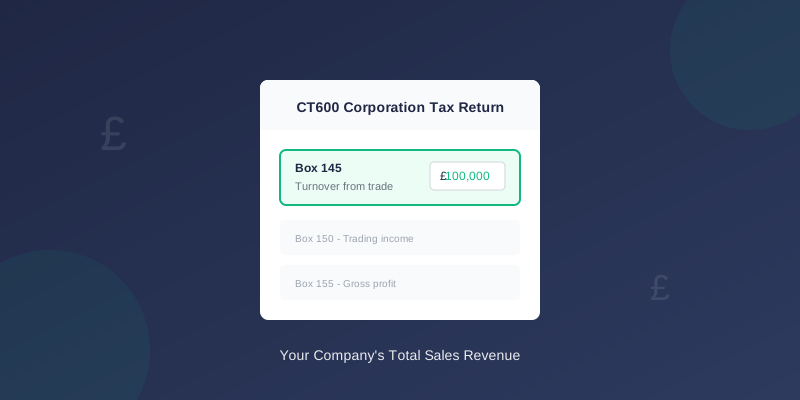
CT600 Box 145: Turnover Explained
Box 145 on your CT600 is where you enter your company's total turnover for the accounting period. Getting this right is important as it feeds into your profit calculations.
What Is Box 145?
Box 145 asks for your turnover from trade - the total sales income your company received during the accounting period before any deductions.
The official label is: "Turnover from trade"
What Goes in Box 145
Include These
| Include | Examples |
|---|---|
| Sales of goods | Products sold to customers |
| Sales of services | Fees for work performed |
| Commission income | Referral fees, affiliate income |
| Rental income from trade | If property letting is your main trade |
| Other trading income | Miscellaneous business receipts |
Exclude These
| Exclude | Why |
|---|---|
| Bank interest received | Goes in Box 175 (non-trade income) |
| Rental income (investment) | Goes in Box 190 (property income) |
| Dividends received | Not taxable for most companies |
| Grants or subsidies | May have special treatment |
| Asset sales | Capital gains, not turnover |
How to Calculate Your Turnover
From Your Accounts
If you have prepared accounts, your turnover figure typically comes from:
- Profit & Loss Account - Top line "Revenue" or "Turnover"
- Sales ledger totals - Sum of all sales invoices
- VAT returns - Box 6 totals (if VAT registered)
Important Points
Exclude VAT: If you're VAT registered, enter the net figure (excluding VAT). VAT is not your income - you collect it for HMRC.
Accruals basis: Include sales you've invoiced even if not yet paid. The accounting period matters, not when cash arrives.
Consistency: Use the same figure that appears in your statutory accounts.
Example Calculations
Example 1: Simple Trading Company
A consultancy invoiced £85,000 during the year:
| Item | Amount |
|---|---|
| Consulting fees invoiced | £85,000 |
| Box 145 | £85,000 |
Example 2: VAT Registered Company
A shop with £120,000 sales (including VAT):
| Item | Amount |
|---|---|
| Total sales (inc VAT) | £120,000 |
| Less: VAT at 20% | (£20,000) |
| Box 145 | £100,000 |
Example 3: Multiple Income Streams
A company with trading and investment income:
| Item | Amount | Box |
|---|---|---|
| Sales of services | £60,000 | Box 145 |
| Bank interest | £500 | Box 175 |
| Rental from investment property | £12,000 | Box 190 |
| Box 145 | £60,000 |
Common Mistakes
1. Including VAT
Wrong: Entering gross sales including VAT Right: Enter net sales, VAT excluded
2. Including Non-Trading Income
Wrong: Adding bank interest to turnover Right: Only trading income in Box 145
3. Wrong Period
Wrong: Including sales from outside the accounting period Right: Only sales within the CT600 period dates
4. Mismatched Accounts
Wrong: Different figure from statutory accounts Right: Box 145 should match accounts turnover
Related CT600 Boxes
Box 145 feeds into other calculations:
| Box | Description | Relationship |
|---|---|---|
| 155 | Gross profit | Turnover minus cost of sales |
| 165 | Trading profits | After expenses deducted |
| 235 | Adjusted profit | After tax adjustments |
Turnover Thresholds to Know
Your turnover figure affects several thresholds:
| Threshold | Amount | Significance |
|---|---|---|
| Micro-entity | Under £632,000 | Simplified accounts option |
| Small company | Under £10.2m | Audit exemption |
| VAT registration | Over £90,000 | Must register for VAT |
| R&D credit | Any | Available to trading companies |
Zero or Low Turnover
Dormant Companies
If your company had no trading activity:
- Box 145 = £0
- You're filing a "nil" return
- Still need to submit CT600
Pre-Trading Companies
If incorporated but not yet trading:
- Box 145 = £0
- Expenses may create losses to carry forward
- Indicate company status appropriately
Loss-Making Companies
Low turnover doesn't mean no CT600:
- Still enter actual turnover
- Losses calculated in later boxes
- May create losses to offset future profits
Using TinyTax
TinyTax calculates Box 145 automatically:
- Enter your turnover when prompted
- We validate against your accounts
- Correct figure flows to Box 145
- Related boxes calculate automatically
Verification Checklist
Before submitting, verify:
- Figure matches statutory accounts turnover
- VAT excluded (if registered)
- Only trading income included
- Period dates are correct
- Consistent with previous years (unless business changed)
TinyTax automatically populates Box 145 and validates against your accounts. Start your CT600 filing