CT600 Box 170: Trading Losses Explained
If your company made a trading loss this year, you need to report it in Box 170. This guide explains what goes in this box and your options for using the loss.
What is Box 170?
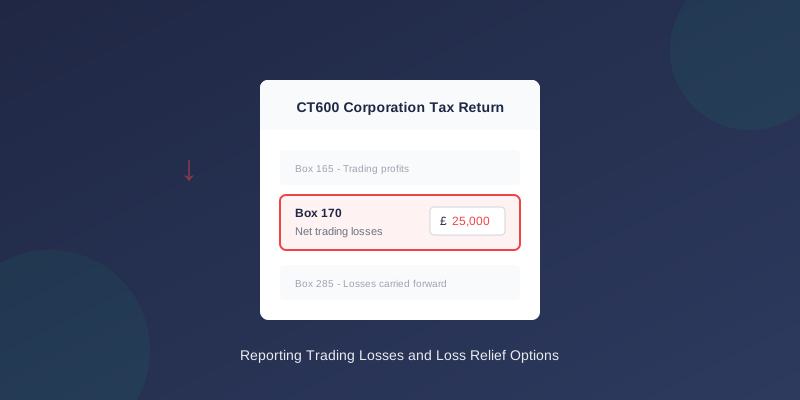
Box 170 on the CT600 is labelled "Net trading losses" (or "Trading losses" on some versions).
This box reports the amount of trading loss your company made during the accounting period. A trading loss occurs when your business expenses exceed your trading income.
What Goes in Box 170?
Include:
- Net trading loss from your P&L account
- Only losses from trading activities
- Property income losses (reported separately)
- Capital losses (reported in capital gains section)
- Non-trading loan relationship deficits (Box 255)
How to Calculate Box 170
Step 1: Calculate Trading Result
From your profit and loss account:
``` Turnover £100,000 Less: Cost of sales (£60,000) Gross profit £40,000 Less: Operating expenses (£55,000) Operating loss (£15,000) ```
Step 2: Identify If It's a Trading Loss
A trading loss occurs when:
- Operating expenses exceed gross profit
- The loss relates to your main trade
Step 3: Enter the Loss Amount
Enter the loss as a positive figure in Box 170:
Box 170: £15,000 (not -£15,000)
Important: Box 165 vs Box 170
These boxes are mutually exclusive for trading:
| Situation | Box 165 | Box 170 |
|---|---|---|
| Trading profit of £50,000 | £50,000 | £0 or blank |
| Trading loss of £20,000 | £0 or blank | £20,000 |
| Break-even | £0 or blank | £0 or blank |
What Happens to Trading Losses?
After reporting the loss in Box 170, you have several options:
Option 1: Set Against Other Income (Current Year)
Your loss can offset other income in the same period:
- Property income
- Investment income
- Chargeable gains
Option 2: Carry Back
You can carry the loss back to the previous 12 months:
- Must have had profits in the prior period
- Claim via Box 275 area or separate claim
- Results in tax refund if tax was already paid
Option 3: Carry Forward
Carry the loss forward to future periods:
- Offset against future trading profits
- No time limit on how long you can carry forward
- Reported in Box 285 (losses carried forward)
Related Loss Boxes
Several CT600 boxes relate to losses:
| Box | Description | Purpose |
|---|---|---|
| 170 | Net trading losses | This period's trading loss |
| 250 | Losses brought forward | Losses from prior periods |
| 275 | Trading losses this period | Losses used this period |
| 285 | Trading losses carried forward | Losses saved for future |
How These Boxes Connect
Scenario: You made a £30,000 loss last year, which you carried forward.
This year you make £20,000 profit:
- Box 165: £20,000 (trading profit)
- Box 250: £30,000 (losses brought forward)
- Box 275: £0 (using carried forward losses instead)
- Box 285: £10,000 (remaining losses to carry forward)
Example Calculations
Example 1: First Year Trading Loss
Situation:
- New company, first year of trading
- Made a £25,000 trading loss
- No other income
- Box 165: £0
- Box 170: £25,000
- Box 285: £25,000 (carried forward)
- Box 410: £0 (no taxable profits)
- Tax due: £0
Example 2: Loss with Other Income
Situation:
- Trading loss: £15,000
- Rental income: £10,000
- Box 165: £0
- Box 170: £15,000
- Box 190: £10,000 (property income)
- Loss offset claimed: £10,000
- Box 285: £5,000 (remaining losses)
Example 3: Loss Carry Back
Situation:
- Last year: Paid £10,000 Corporation Tax on £50,000 profit
- This year: Trading loss of £30,000
- Box 165: £0
- Box 170: £30,000
- Carry back £30,000 to prior year
- Prior year recalculated: £50,000 - £30,000 = £20,000 taxable
- Tax refund expected on excess tax paid
Terminal Loss Relief
If your company is closing:
- Trading losses in the final 12 months can be carried back 3 years
- Must be made in the last accounting period before trade ceases
- Losses set against most recent year first
Common Mistakes
1. Entering Losses as Negatives
Wrong: Box 165: -£15,000 Right: Box 165: £0, Box 170: £15,000
2. Missing Loss Relief Claims
Problem: Not claiming loss offset against other income Fix: Review all options in the deductions section
3. Overstating Brought Forward Losses
Problem: Claiming more losses b/f than available Fix: Check prior year CT600 Box 285 for correct figure
4. Not Carrying Losses Forward
Problem: Losing track of accumulated losses Fix: Maintain a schedule of losses and update Box 285 each year
Corporation Tax When You Have Losses
Making a loss doesn't always mean zero tax:
- Other income may still be taxable
- Only trading losses get loss relief
- Some reliefs are restricted
When Using TinyTax
TinyTax automatically:
- Detects when you've made a trading loss
- Populates Box 170 correctly
- Carries forward losses to future periods
- Suggests loss relief options available
Related Articles
- CT600 Box 165: Trading Profits Explained
- Corporation Tax Losses: Carrying Forward and Back
- CT600 Boxes Explained: Understanding Every Field
Need Help?
Understanding loss relief can save your company significant tax. TinyTax helps you identify loss relief options and ensures losses are correctly reported and tracked.
Start Your CT600 Free →