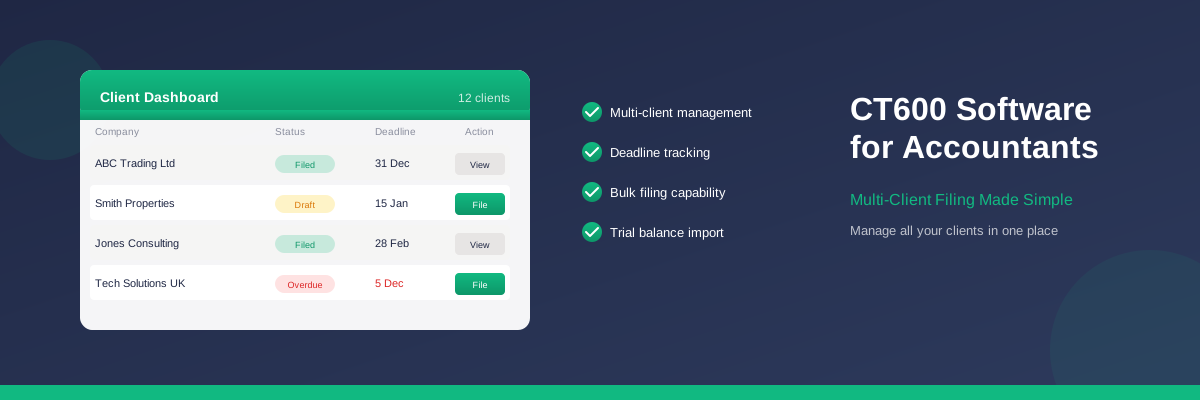
Best CT600 Software for Accountants
As an accountant managing multiple clients, you need CT600 software that goes beyond basic filing. You need multi-client dashboards, deadline tracking, bulk operations, and seamless workflow integration.
This guide covers what to look for in CT600 software for professional practices, and how to choose the right solution for your firm.
What Accountants Need from CT600 Software
Filing a single CT600 is straightforward. Filing dozens or hundreds per year across multiple clients requires software designed for scale:
Essential Features for Accountants
| Feature | Why It Matters |
|---|---|
| Multi-client dashboard | See all clients, statuses, and deadlines at a glance |
| Deadline tracking | Never miss a filing deadline across your portfolio |
| Bulk operations | Generate and file multiple returns efficiently |
| Trial balance import | Pull figures from Xero, QuickBooks, or CSV files |
| Client data storage | Retain prior year figures for easy comparison |
| iXBRL generation | Produce compliant accounts and computations |
| Audit trail | Track who filed what and when |
Multi-Client Management
The core of any accountant-focused CT600 software is the client dashboard. Look for:
Status Tracking
- Draft — Return started but not complete
- Ready to file — Complete and validated, awaiting submission
- Filed — Submitted to HMRC with confirmation
- Overdue — Past deadline, needs immediate attention
Deadline Visibility
Good software shows upcoming deadlines prominently. You should be able to:
- Sort clients by deadline
- Filter to show only upcoming/overdue returns
- Set custom reminders
- Export deadline lists for team planning
Client Organisation
- Group clients by partner/manager
- Tag clients by type (trading, property, dormant)
- Search and filter quickly
- Archive inactive clients
Trial Balance Import
Manually entering figures from accounting software is time-consuming and error-prone. Look for CT600 software that imports trial balances directly.
Supported Integrations
The best CT600 software integrates with popular accounting platforms:
- Xero — Direct API connection or CSV export
- QuickBooks — Trial balance export and import
- Sage — CSV trial balance support
- FreeAgent — Export and import workflow
Mapping Trial Balance to CT600
Imported trial balances need mapping to CT600 boxes. Good software:
- Remembers mappings for each client
- Suggests mappings based on account names
- Highlights unmapped accounts for review
- Shows the impact on tax calculations in real-time
Bulk Filing Capability
At busy times (especially around 31 March year-ends), you may need to file many returns quickly.
Batch Operations
- Generate multiple CT600s in one session
- Validate all returns before submission
- Submit multiple returns to HMRC sequentially
- Download confirmation receipts in bulk
Quality Control
Bulk operations shouldn't compromise accuracy:
- Pre-submission validation on every return
- Exception reports highlighting issues
- Review queues for partner sign-off
- Rollback capability if errors are found
iXBRL Accounts and Computations
HMRC requires CT600 submissions to include accounts and computations in iXBRL format. Accountant-focused software should:
Generate Compliant Files
- Produce valid iXBRL for micro-entity and small company accounts
- Generate tax computations showing the profit reconciliation
- Bundle all documents for single submission
- Validate against HMRC schemas before filing
Support Multiple Account Types
- Micro-entity accounts (FRS 105)
- Small company accounts (FRS 102 Section 1A)
- Abbreviated accounts for Companies House
- Full accounts where required
Prior Year Data Retention
Year-on-year comparison is essential for accountants:
What to Look For
- Prior year figures — Automatically populated from previous filing
- Year-on-year comparison — Highlight significant changes
- Historical archive — Access all previous submissions
- Carry-forward losses — Track and apply automatically
HMRC Prior Year Fetch
Some software (including TinyTax) can fetch prior year figures directly from HMRC, saving time when taking on new clients.
Workflow Integration
CT600 filing doesn't happen in isolation. Consider how software fits your wider workflow:
Practice Management Integration
- Sync client data with your practice management system
- Update job statuses automatically
- Track time spent on filings
- Generate invoices based on completed work
Team Collaboration
- Multiple user access with role-based permissions
- Preparer/reviewer workflow
- Notes and comments on returns
- Activity logs showing who did what
Pricing Models for Accountants
CT600 software for accountants typically uses one of these pricing models:
Per-Filing Pricing
Pay for each CT600 submitted:
- Pros: Only pay for what you use, scales with workload
- Cons: Costs can be unpredictable, may discourage amending returns
Annual Subscription
Fixed annual fee for unlimited filings:
- Pros: Predictable costs, encourages thorough checking
- Cons: May not suit firms with few CT600 clients
Tiered Pricing
Different price bands based on client volume:
- Pros: Balances cost with volume
- Cons: May need to upgrade mid-year if volumes increase
TinyTax for Accountants
TinyTax offers features specifically designed for accountants:
- Multi-client dashboard — Manage all clients from one screen
- Deadline tracking — See upcoming and overdue filings at a glance
- Trial balance import — Bring figures from Xero, QuickBooks, or CSV
- Prior year fetch — Pull previous figures from HMRC automatically
- Bulk operations — File multiple returns efficiently
- iXBRL generation — Accounts and computations included
Frequently Asked Questions
Can I manage multiple clients in TinyTax?
Yes. TinyTax includes a multi-client dashboard where you can see all your clients, their filing status, and upcoming deadlines. You can add unlimited clients and switch between them easily.
Does TinyTax integrate with Xero or QuickBooks?
TinyTax supports trial balance import from Xero, QuickBooks, and other accounting software via CSV export. This saves time compared to manual data entry.
Can multiple people in my firm use TinyTax?
Yes. You can invite team members to your TinyTax account with appropriate permissions. This supports preparer/reviewer workflows common in accounting practices.
Is there volume pricing for accountants?
TinyTax offers competitive pricing for accountants filing multiple returns. Contact us for volume pricing if you have more than 20 clients.
Can I file CT600 and accounts together?
Yes. TinyTax generates both the CT600 and iXBRL accounts/computations, and submits them to HMRC together. You can also file accounts to Companies House from the same workflow.
Get Started with TinyTax
Join accountants across the UK who use TinyTax to manage their CT600 filings. Multi-client dashboard, trial balance import, and deadline tracking — all designed for professional practices.