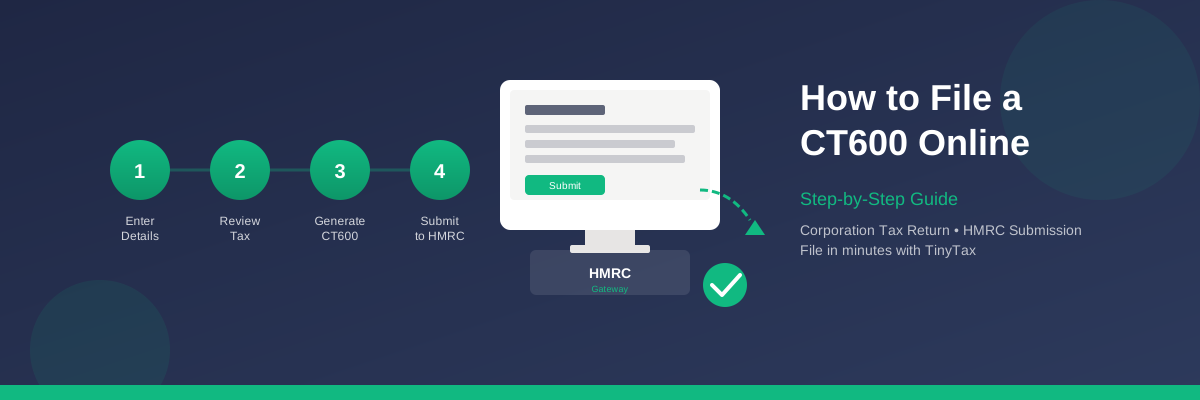
How to File a CT600 Online: Step-by-Step Guide
Every UK limited company must file a CT600 Corporation Tax return with HMRC. The good news is that you can file entirely online — and with the right software, the whole process takes just minutes.
This guide walks you through exactly how to file your CT600 online, from gathering your information to receiving HMRC's confirmation.
What Is a CT600?
The CT600 is HMRC's Corporation Tax return form. It reports your company's:
- Taxable profits for the accounting period
- Corporation Tax due on those profits
- Losses that can be carried forward or back
- Reliefs and allowances you're claiming
Before You Start: What You'll Need
Gather these items before filing your CT600:
1. Company Details
- Company registration number
- Unique Taxpayer Reference (UTR) — a 10-digit number from HMRC
- Company authentication code (for HMRC online services)
2. Financial Information
- Profit and loss figures for the accounting period
- Balance sheet totals
- Any adjustments for disallowable expenses
- Capital allowances calculations
3. Accounts
- Your statutory accounts for the same period
- These must be filed with the CT600 in iXBRL format
4. Computations
- Tax computation showing how you calculated the Corporation Tax due
- Also required in iXBRL format
Step 1: Calculate Your Taxable Profits
Your taxable profit isn't simply your accounting profit. You'll need to make adjustments:
Add Back Disallowable Expenses
Certain expenses reduce your accounting profit but aren't deductible for tax purposes:
- Entertainment costs
- Depreciation (replaced by capital allowances)
- Fines and penalties
- Non-business expenses
Claim Capital Allowances
Instead of depreciation, you claim capital allowances on qualifying assets:
- Annual Investment Allowance (AIA): 100% relief on qualifying plant and machinery up to £1 million
- Writing Down Allowances: 18% or 6% per year on remaining balances
- Structures and Buildings Allowance: 3% per year on qualifying structures
Calculate Corporation Tax Due
Once you have your taxable profit, apply the appropriate tax rate:
| Profit Level | Tax Rate |
|---|---|
| Up to £50,000 | 19% (small profits rate) |
| £50,001 - £250,000 | Marginal relief applies |
| Over £250,000 | 25% (main rate) |
Step 2: Prepare Your Accounts and Computations
HMRC requires three documents with your CT600:
- The CT600 form itself — in XML format
- Statutory accounts — in iXBRL format
- Tax computations — in iXBRL format
Step 3: Register for HMRC Online Services
To file your CT600 online, you need access to HMRC's online services:
If You Haven't Registered Before
- Go to HMRC online services
- Create a Government Gateway account
- Enrol for Corporation Tax online
- HMRC will post an activation code to your registered office (allow 7-10 days)
- Use the code to complete enrolment
If You're Already Registered
Simply sign in to your Government Gateway account. Ensure you have your company's authentication code — you'll need it for filing.
Step 4: Choose Your Filing Method
You have several options for filing your CT600 online:
Option 1: HMRC's Free Service
HMRC offers a free online filing service, but it has significant limitations:
- No automatic calculations
- Doesn't generate iXBRL accounts (you'd need separate software)
- Time-consuming manual data entry
- Limited error checking
Option 2: Commercial Software
Software like TinyTax handles the entire process:
- Automatic tax calculations
- Generates compliant iXBRL accounts and computations
- Built-in validation to catch errors before submission
- Direct submission to HMRC
- Instant confirmation
Step 5: Complete the CT600 Form
The CT600 has many boxes, but most small companies only need to complete a subset. Key sections include:
Company Information (Boxes 1-30)
- Company name and UTR
- Accounting period dates
- Type of company
Income and Expenses (Boxes 145-185)
- Trading profits or losses
- Property income
- Other income
Tax Calculation (Boxes 430-485)
- Profits chargeable to Corporation Tax
- Tax rate applied
- Tax due or repayable
Declarations
- Confirmation that the return is correct and complete
- Director signature (electronic for online filing)
Step 6: Submit to HMRC
Once your CT600 and supporting documents are complete:
- Review all figures for accuracy
- Check that accounts and computations match the CT600
- Submit electronically via HMRC Gateway
- Receive instant acknowledgement with a submission reference
Step 7: Pay Your Corporation Tax
Filing your CT600 and paying your tax are separate obligations:
- Filing deadline: 12 months after the accounting period ends
- Payment deadline: 9 months and 1 day after the accounting period ends
Payment Methods
- Same or next day: Faster Payments, CHAPS, online banking
- 3 working days: Bacs, Direct Debit, credit/debit card
- 5 working days: Cheque
Common Filing Mistakes to Avoid
1. Mismatched Periods
Ensure your CT600, accounts, and computations all cover exactly the same accounting period.
2. Wrong UTR
Double-check your Unique Taxpayer Reference. A wrong UTR will cause rejection.
3. Missing iXBRL Files
Your accounts and computations must be in iXBRL format. PDF attachments won't be accepted.
4. Calculation Errors
Simple arithmetic mistakes trigger rejection. Software with built-in validation catches these before submission.
5. Late Filing
Even if you owe no tax, late filing attracts penalties:
- 1 day late: £100
- 3 months late: Additional £100
- 6 months late: HMRC estimates your tax and adds 10% of unpaid tax (minimum £300)
- 12 months late: Additional 10% of unpaid tax (minimum £300)
Filing for Extended Accounting Periods
If your accounting period exceeds 12 months (common for first accounts), you'll need to file two CT600 returns:
- First CT600: Covers the first 12 months
- Second CT600: Covers the remaining period
Frequently Asked Questions
Can I file a CT600 myself?
Yes. Many company directors file their own CT600 without using an accountant. With software that handles calculations and generates the required iXBRL files, the process is straightforward.
How long does it take to file?
With TinyTax, most companies can complete their CT600 in under 30 minutes. The time depends on complexity — a simple trading company is quicker than one with multiple income streams.
What if HMRC rejects my submission?
You'll receive an error message explaining why. Common reasons include format errors, mismatched data, or technical issues. Correct the problem and resubmit. As long as you file before the deadline, there's no penalty for rejected attempts.
Do I need to file if my company is dormant?
Yes. Dormant companies must still file a CT600, though it's simpler. You'll confirm the company was dormant and had no tax to pay. TinyTax supports dormant company filings.
Can I amend a CT600 after filing?
Yes. You can amend a CT600 within 12 months of the filing deadline. Log in to HMRC online services or file an amended return through software.
File Your CT600 in Minutes with TinyTax
TinyTax makes CT600 filing simple. Enter your financial figures, and we'll:
- Calculate your Corporation Tax automatically
- Generate compliant iXBRL accounts and computations
- Submit directly to HMRC
- Provide instant confirmation