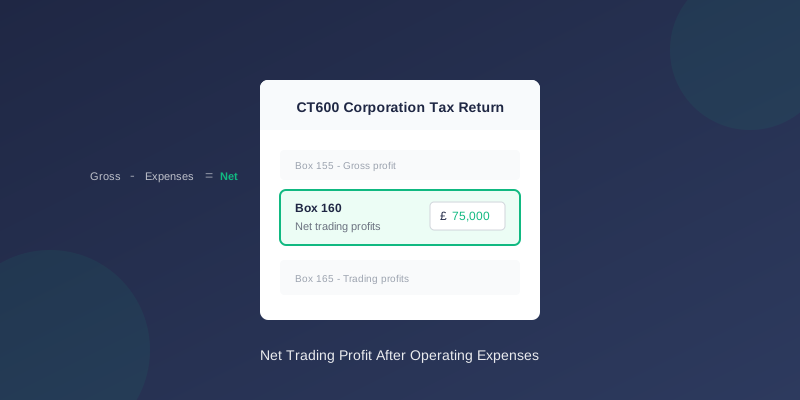
CT600 Box 160: Net Trading Profit Explained
Box 160 reports your company's net trading profit on the CT600. This guide explains what goes in this box and how it differs from other profit boxes.
What is Box 160?
Box 160 on the CT600 is labelled "Net trading profits".
This shows your profit from trading after deducting operating expenses but before tax adjustments.
Net Trading Profit Formula
``` Net Trading Profit = Gross Profit - Operating Expenses ```
Or more simply:
``` Net Trading Profit = Turnover - All Trading Costs ```
This is your "bottom line" profit from trading activities.
How to Calculate Box 160
Step 1: Start with Gross Profit
From your P&L (and Box 155):
``` Turnover £500,000 Cost of sales (£200,000) Gross profit £300,000 ```
Step 2: Deduct Operating Expenses
Subtract all business running costs:
``` Gross profit £300,000 Wages and salaries (£100,000) Rent and rates (£24,000) Insurance (£3,000) Professional fees (£5,000) Marketing (£12,000) Utilities (£6,000) Depreciation (£15,000) Other expenses (£10,000) Net trading profit £125,000 ← Box 160 ```
Box 160 vs Box 165
Both boxes relate to trading profit, but:
| Box 160 | Box 165 |
|---|---|
| Net trading profits (specific) | Trading profits (general) |
| Single trade | May combine trades |
| Standard CT600 box | Summary box |
The Profit Flow Through CT600
Understanding how the boxes connect:
``` Box 145: Turnover £500,000 Less: Cost of sales Box 155: Gross profit £300,000 Less: Operating expenses Box 160: Net trading profit £125,000 Box 165: Trading profits £125,000 Plus: Tax add-backs Less: Tax deductions Box 235: Adjusted trading profit £140,000 ```
Operating Expenses Included
These costs reduce gross profit to net trading profit:
Staff Costs
- Salaries and wages
- Employer's NIC
- Pension contributions
- Staff benefits
Premises Costs
- Rent
- Business rates
- Utilities
- Repairs and maintenance
- Cleaning
Administrative Costs
- Insurance
- Professional fees
- Telephone and internet
- Postage
- Office supplies
Other Costs
- Travel and subsistence
- Bank charges
- Depreciation
- Marketing and advertising
- Bad debts
What's NOT in Operating Expenses
These items are handled separately:
| Item | Treatment |
|---|---|
| Cost of sales | Deducted before gross profit |
| Interest payable | Separate box (loans) |
| Interest receivable | Separate box (income) |
| Rental income | Box 190 (property) |
| Capital gains | Separate section |
Example Calculations
Example 1: Trading Company
``` Turnover £200,000
Cost of sales: Purchases £80,000 Gross profit £120,000
Operating expenses: Wages £40,000 Rent £12,000 Insurance £2,000 Other £8,000 Total expenses £62,000
Net trading profit £58,000 ```
Box 160: £58,000
Example 2: Service Business
``` Service fees £150,000
Cost of sales: Subcontractors £30,000 Gross profit £120,000
Operating expenses: Staff costs £50,000 Office costs £15,000 Professional fees £5,000 Marketing £8,000 Total expenses £78,000
Net trading profit £42,000 ```
Box 160: £42,000
Example 3: Trading Loss
``` Turnover £100,000
Cost of sales £50,000 Gross profit £50,000
Operating expenses: All expenses £70,000
Net trading loss (£20,000) ```
Box 160: £0 (or blank) Box 170: £20,000 (the loss)
Losses go in Box 170, not as a negative in Box 160.
Net Trading Profit vs Taxable Profit
Important distinction:
Net trading profit (Box 160):
- Accounting profit
- Includes depreciation
- Includes all expenses per accounts
- Tax profit
- Depreciation added back
- Disallowed expenses added back
- Capital allowances deducted
Common Add-Backs (After Box 160)
These are added back to reach taxable profit:
| Item | Why Added Back |
|---|---|
| Depreciation | Replaced by capital allowances |
| Entertaining | Not allowable for tax |
| Personal expenses | Not business expenses |
| Fines/penalties | Not allowable |
| Some legal costs | Capital or not allowable |
Common Mistakes
1. Including Non-Trading Income
Wrong: Including rental or interest income in trading profit Right: Only trading activities in Box 160
2. Excluding Some Expenses
Wrong: Missing expenses that reduce profit Right: Include all legitimate operating expenses
3. Using Taxable Profit
Wrong: Entering the profit after tax adjustments Right: Box 160 is accounting profit, before adjustments
4. Not Matching Accounts
Wrong: Different figure than your statutory accounts show Right: Box 160 should match your P&L operating profit
When Using TinyTax
TinyTax calculates net trading profit by:
- Importing your trial balance
- Categorising income and expenses correctly
- Calculating gross profit automatically
- Deducting operating expenses
- Populating Box 160 with the correct figure
Related Articles
- CT600 Box 155: Gross Profit Explained
- CT600 Box 165: Trading Profits Explained
- CT600 Boxes Explained: Understanding Every Field
Need Help?
Understanding your trading profit is essential for Corporation Tax. TinyTax makes the calculation clear and accurate.
Start Your CT600 Free →