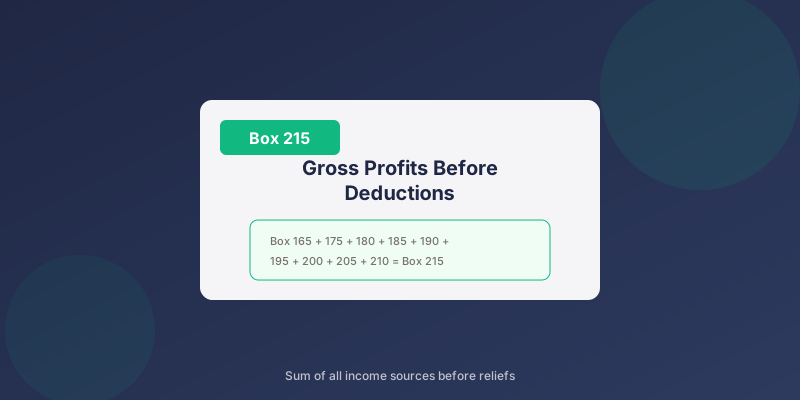
CT600 Box 215: Gross Profits Before Deductions
Box 215 on the CT600 shows your company's gross profits before deductions and reliefs. This is a calculated total that brings together all your income sources before any reliefs are applied.
What Goes in Box 215?
Box 215 is the sum of all profit sources on your CT600:
``` Box 215 = Box 165 + Box 175 + Box 180 + Box 185 + Box 190 + Box 195 + Box 200 + Box 205 + Box 210 ```
This represents your company's total profits before any deductions or reliefs.
Components of Box 215
The Income Elements
| Box | Description | Typical for Small Co? |
|---|---|---|
| 165 | Trading profits | Yes |
| 175 | Annual payments received | Rare |
| 180 | Non-UK dividends | Rare |
| 185 | Income with tax deducted | Rare |
| 190 | Property income | Sometimes |
| 195 | Non-trading intangible gains | Very rare |
| 200 | Tonnage tax profits | Very rare |
| 205 | Other income | Rare |
| 210 | Chargeable gains | Rare |
For Most Small Companies
Most small trading companies will have:
- Box 165 = Trading profits
- All other boxes = Zero
Example Calculations
Simple Trading Company
| Box | Description | Amount |
|---|---|---|
| 165 | Trading profits | £45,000 |
| 175-210 | All other income | £0 |
| 215 | Gross profits | £45,000 |
Trading Company with Property
| Box | Description | Amount |
|---|---|---|
| 165 | Trading profits | £45,000 |
| 190 | Property income | £12,000 |
| 175-185, 195-210 | Other income | £0 |
| 215 | Gross profits | £57,000 |
Company with Capital Gain
| Box | Description | Amount |
|---|---|---|
| 165 | Trading profits | £30,000 |
| 210 | Chargeable gain | £20,000 |
| Other boxes | Zero | £0 |
| 215 | Gross profits | £50,000 |
Box 215 vs Box 235
These boxes represent different stages:
| Box | Description | What It Shows |
|---|---|---|
| 215 | Gross profits | Before deductions |
| 235 | Total profits | After deductions |
The Journey from 215 to 235
``` Box 215 (Gross profits) ↓
- Qualifying charitable donations
- Management expenses
- Non-trade deficits
- Trading losses
- Group relief
Why Box 215 Matters
1. Starting Point for Tax
Box 215 is the base figure from which:
- Deductions are subtracted
- Reliefs are calculated
- Final taxable profit emerges
2. Marginal Relief Calculations
Box 215 feeds into determining:
- If you qualify for small profits rate
- Your marginal relief (if applicable)
- Associated company thresholds
3. Loss Utilisation
Understanding Box 215 helps with:
- How much loss can offset current profits
- Whether group relief is available
- Planning for future years
Completing Box 215
Automatic Calculation
Box 215 is a calculated field:
- Enter income in individual boxes (165, 175, etc.)
- Box 215 is automatically totalled
- No manual calculation needed
In TinyTax
TinyTax calculates Box 215 automatically:
- Enter your trading figures
- Enter any other income sources
- The software handles the addition
When Box 215 Equals Box 235
For companies with no deductions:
- No charitable donations
- No losses to claim
- No management expenses
- No group relief
This is common for simple, profitable small companies.
Related Boxes
| Box | Description |
|---|---|
| 165 | Trading profits |
| 210 | Chargeable gains |
| 215 | Gross profits (this box) |
| 235 | Total profits after deductions |
| 315 | Corporation Tax liability |
Common Questions
Do I need to calculate Box 215 myself?
No. It's a calculated field - the sum of boxes 165 through 210. CT600 software does this automatically.
What if my Box 215 is negative?
Box 215 cannot be negative. If you have losses, they're shown in loss boxes (170 for trading losses). Box 215 shows the positive profit before those losses reduce it.
Why is my Box 215 different from my accounts profit?
Several reasons:
- Tax adjustments (disallowable expenses, capital allowances)
- Timing differences
- Items treated differently for tax vs accounting
My company only trades - do I need to worry about the other boxes?
No. If you only have trading income, only Box 165 will have a value. All other boxes feeding Box 215 will be zero.
When Using TinyTax
TinyTax handles Box 215 automatically:
- Enter your trading figures and expenses
- The software calculates trading profits (Box 165)
- Box 215 is automatically populated
- Deductions flow through to Box 235
Related Articles
- CT600 Box 165: Trading Profits
- CT600 Box 235: Total Profits
- CT600 Box 210: Chargeable Gains
- CT600 Boxes Explained
Need Help?
TinyTax calculates all CT600 boxes automatically, including Box 215. Just enter your income and expenses, and the software handles the rest.
Start Your CT600 Free →